
At noon on Thursday 18th December the data for the NIBE Ground Source Heat Pump stopped updating onto heatpumpmonitor.org. Some of this data is sourced from the Heat Pump Controller, which only uploads it to NIBE’s myuplink.com so the required parameters need to be downloaded from there. The remainder of the data is sourced ‘locally’ – from heat meters and electricity meters – then all the data required by heatpumpmonitor.org is uploaded together.
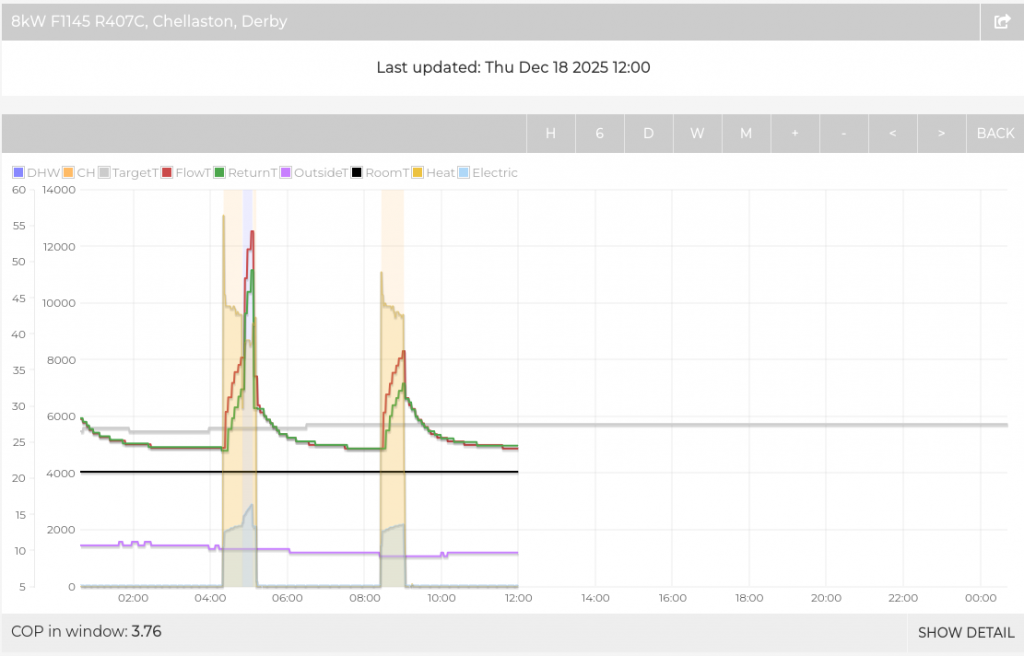
There are a few possible reasons for the lack of updates so once I’d noticed the issue I did a few checks:
- Was my heatpumpmonitor ‘uploader’ script still working?
- Yes and no: it was being invoked every minute as expected but it was failing to find any recent myUplink data to upload – which suggested a problem with the download from myUplink.
- Was the myUplink ‘downloader’ script still working?
- It was running but it was failing, with an error message (from the Python code that handles the OAuth2 Authentication):
oauthlib.oauth2.rfc6749.errors.TokenExpiredError: (token_expired)The myUplink website and app were working fine, indicating that the heat pump was ‘online’ and showing recent data and graphs – so the data was getting to myUplink OK but the script that calls the myUplink API to download the data wasn’t successfully Authenticating, because it was presenting an ‘expired’ token.
Expiry of the tokens used for OAuth2 Authentication is perfectly normal; they have a relatively short lifetime of 3600 (seconds, i.e. 1 hour) and need to be renewed once they expire. Renewal is normally automatic, using the auto_refresh_url and the refresh_token to do that.
I had a vague recollection of this happening before, which led me to go through the process of creating and authenticating new application ‘secrets’ but I thought that didn’t help with having the tokens auto-renew. After a few days everything started working again so I assumed there had been a fix applied at the myUplink server end. However, it’s now been three days since the download API calls worked which feels like enough time for the myUplink administrators to have spotted an issue – although half of that time has been on the weekend.
Maybe trying to Authenticate a new Application will highlight a wider issue – or alternatively, if that works, it will show that re-Authenticatng the existing application will also work?
Using a new Application (i.e. with a different Client ID and Client Secret) worked OK – but that’s not actually testing token renewal so I need to wait for the token to expire and test it again.
Two hours later and the new Application happily renewed its (by then) expired token. Swapping the existing script over to the new Application credentials has made those spring into life and now data is flowing again.
So it looks like the Application credentials need refreshing periodically. Perhaps the refresh_token has its own expiry period? Looking back at some old files, there is a suspicious-looking date stamp of 18 Dec 2023 on one of the saved token files, which hints at a 2-year expiry period for the refresh_token.
If that’s the case, it should stop working again on 21 Dec 2027.
 myUplink Token Renewal Issues by Marsh Flatts Farm Self Build Diary is licensed under a Creative Commons Attribution-ShareAlike 4.0 International License.