
I first tried to configure the Tesla Fleet API integration for Home Assistant as soon as the Tesla PowerWall 3 installation was commissioned, but it kept failing – without reporting any meaningful error message. Now that integration is (even) more important, as a fundamental pre-requisite for Predbat, and now I’m a little more familiar with where Home Assistant writes its log messages, it’s time to try again.
The instructions for configuring the Tesla Fleet API integration for Home Assistant are here and they make perfect sense – they’re very similar to how other OAuth-based integrations work. The process fails at the step after agreeing to link the Tesla account to Home Assistant:
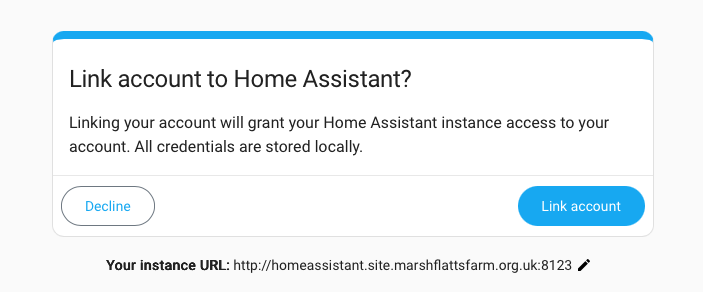
There’s a popup window which briefly shows “Loading next step for Tesla Fleet API” – but then there’s another window which is simply headed “Error” (with an OK button).
Looking at System > Logs shows a log message labelled Error handling request from 172.16.115.203 and the lines at the end of the detailed error log show:
File "/usr/src/homeassistant/homeassistant/components/tesla_fleet/config_flow.py", line 87, in async_oauth_create_entry
    await api.partner_login(
        implementation.client_id, implementation.client_secret
    )
  File "/usr/local/lib/python3.14/site-packages/tesla_fleet_api/tesla/fleet.py", line 219, in partner_login
    raise ValueError(f"Partner login failed: {error_data}")
ValueError: Partner login failed: {'error': 'invalid_scope', 'error_description': 'The requested scopes are not granted.'}
So it would seem the code is asking for OAuth ‘scopes’ which are not granted by the ‘Application’ entry configured against the Tesla Fleet API for the Home Assistant integration – although all of the ‘scopes’ noted as being Mandatory in the documentation are in place. Time to look at the code, I guess…
Looking first at config_flow.py (which is part of the Home Assistant integration codebase) line 87 does indeed call api.partner_login() – but that is implemented in a separate Python package called tesla_fleet_api which appears to be Teslemetry’s Python package. File fleet.py implements api.partner_login() starting at line 188. Line 192 says:
scopes: list[Scope] = [Scope.VEHICLE_DEVICE_DATA],
and some later code looks like it appends a list of specifically-requested scopes. Looking back at config_flow.py that includes the following lines:
                partner_scope=True,
                charging_scope=False,
                energy_scope=False,
                user_scope=False,
                vehicle_scope=False,
which appears to be an attempt to say only the ‘partner’ scope is required, maybe – but that isn’t working?
Adding the “Vehicle Information” scope to the Home Assistant ‘application’ entry on the Tesla developer portal made everything work OK. Presumably they assume everyone using Telemetry will have a Tesla vehicle. While this scope shouldn’t strictly be necessary, it doesn’t really hurt to add it (especially since my Tesla account is never going to have any Vehicles included).
 Tesla Fleet API integration by Marsh Flatts Farm Self Build Diary is licensed under a Creative Commons Attribution-ShareAlike 4.0 International License.