There used to be an old wooden gate at the boundary of the property, where the access track enters at the West end of the site, but that fell apart several years ago and ended up on the bonfire. While there doesn’t really need to be a gate there, having one provides a ‘spare’ for the matching gate at the entrance from the lane (which is more at risk of accident damage) – and helps stop the sheep running into the wildflower meadow when they’re being moved between the fields either side of the track.
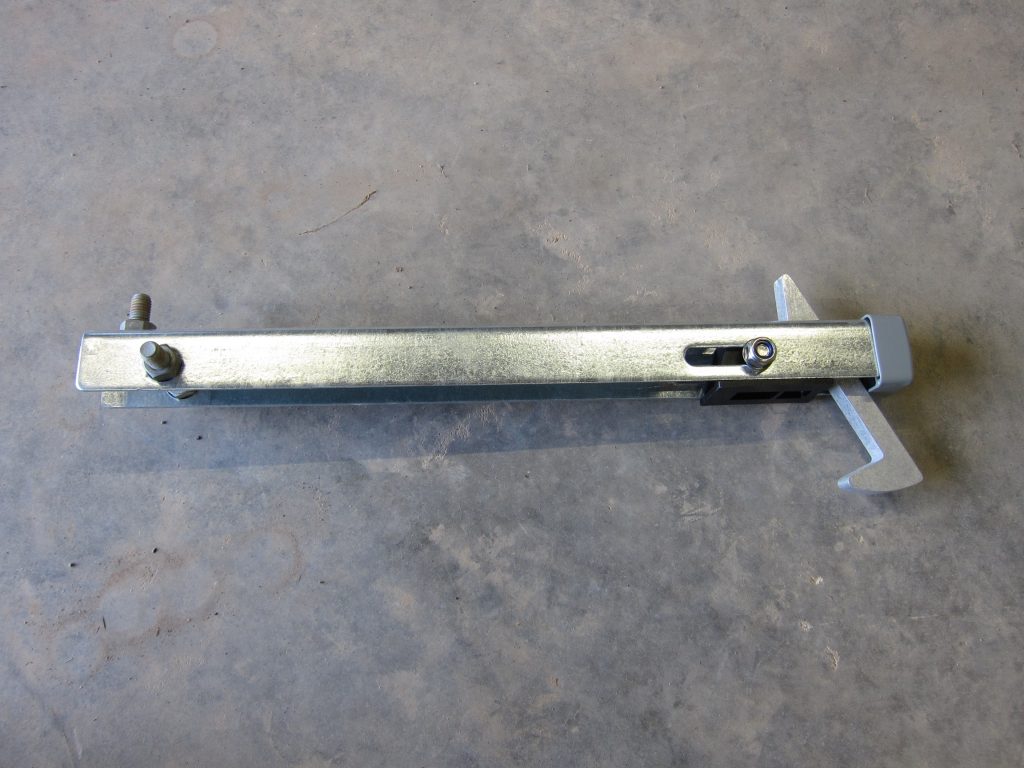
This gate will spend most of its life held open so needs some sort of ‘latch’ to hold it in place. There are few options – ranging from traditional forged steel models to more modern designs – but I settled on the Gate Hold-Back Catch Hot-Dip Galvanised – ABL from Locinox which was £23 inc VAT from local steelwork supplier FH Brundle. This provides 50mm of vertical adjustment and is 500mm tall so there’s plenty of length in the ground to anchor it in place. (Other variants are made from aluminium so are slightly more fragile and also slightly more expensive – though they do offer more adjustment options and can be configured to latch either ‘over’ or ‘under’ a gate or door.)
Locinox ABL Gate Hold-Back Catch in Galvanised Steel
The galvanised steel bolts visible at the left of the photo above were my addition; the unit came with three large holes but adding bolts and nuts provides a much better ‘key’ into the concrete footing to maintain the vertical alignment. (There’s a third bolt-and-nut not visible in the photo.)
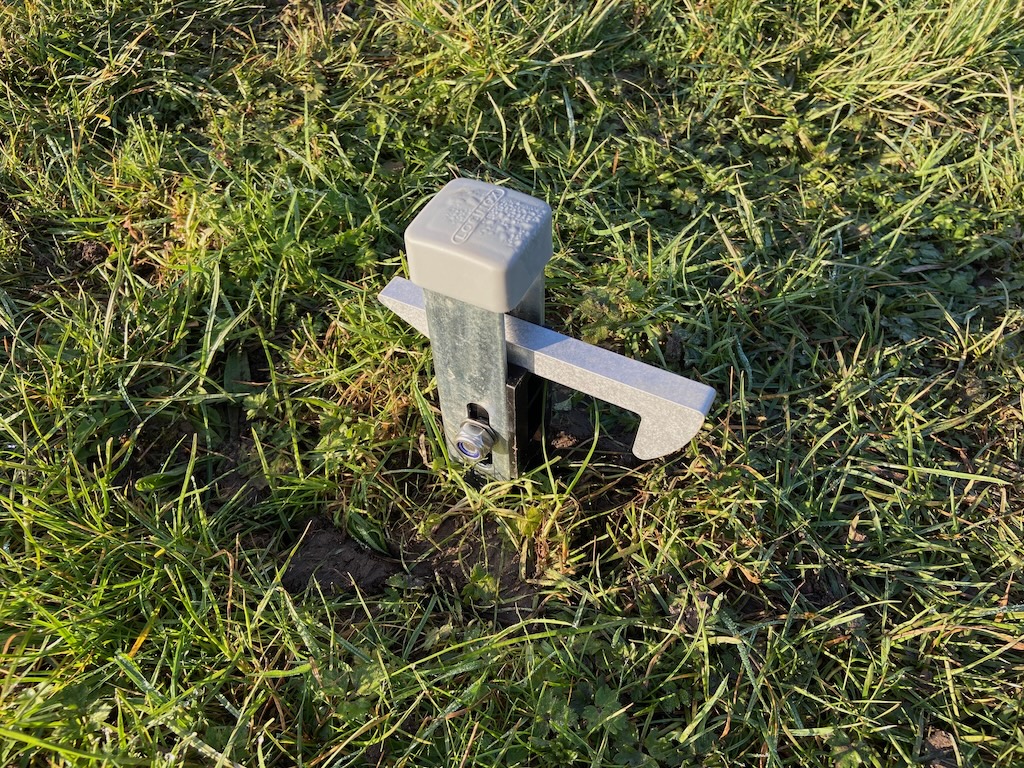
The gate sits quite low to the ground so only about 100mm of the latch is left protruding when it’s installed.
Gate latch mounted in the ground, with the majority of its length embedded in a concrete footing
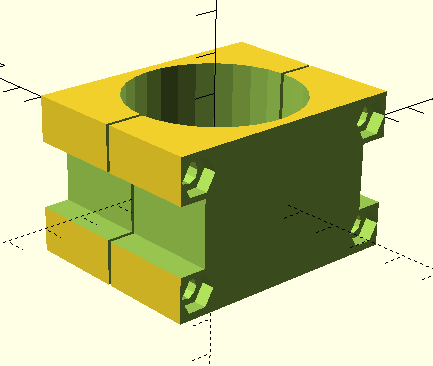
The bottom bar of the galvanised steel gate is a 44mm diameter round tube, which isn’t ideal for ‘catching’ on the latch hook, so I decided to add a 3D-printed rectangular block to clamp around the tube. This took a couple of attempts to get right but worked out pretty nicely using some silver-grey PLA filament I happened to have available.
3D Model of Gate Tube Clamp modelled in OpenSCAD
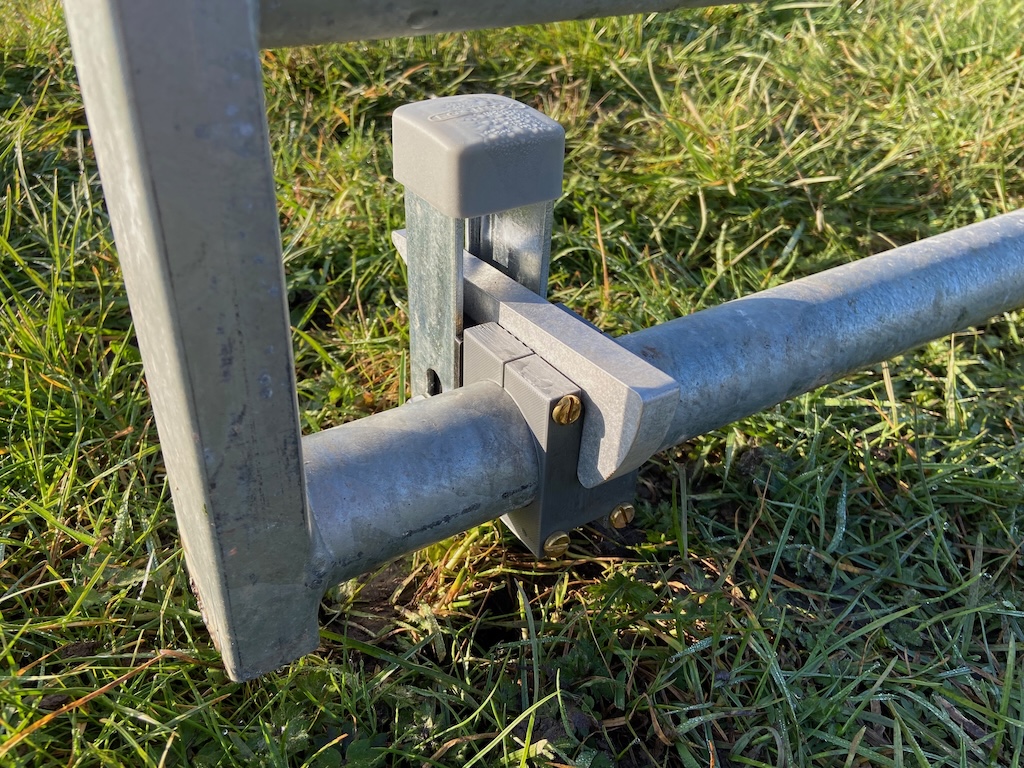
One refinement I’d add if printing this again (and PLA isn’t expected to last more than a few years when exposed to the weather) is to radius the corner of the block at the back of the gate, to help the latch bar ‘rise up’ when latching it – right now it needs a bit of ‘help’ to lift.
The finished result of the latch holding back the gate using the rectangular clamp block
For various reasons it proved difficult to set up the Cyble M-Bus adaptors for the two Itron water meters in the Outbuildings. (There are already three nearly-identical water meters with Cyble M-Bus adaptors in the House, which are working perfectly.)
The first challenge was sourcing the Cyble M-Bus reader heads. The original plan was for the building contractor’s plumber to source these along with the Itron Aquadis+ water meters (which is what happened last time, for the units in the House) but while the plumber had no issue obtaining the meters they struggled with the Cyble units and we all agreed I would source those myself, since I knew which specific ones I needed (and I assumed they would be easy enough to get hold of). The Cyble Pulse-Output reader heads are readily available but for some reason the M-Bus variants are more difficult to source. The best supplier for these in the UK seems to be MWA Technology, who list them on their website as Itron Cyble M-Bus For Aquadis and Woltex but MWA are not geared up to dealing with individual customers and while they were helpful they said they’d have to get their finance team to set me up with an Account – which sounded like a lot of work for both them and me. They suggested various distributors, some of which I’ve used before, but those just pointed me back at MWA. In the end I was successful in sourcing two of the Cyble M-Bus readers from metermarket.co.uk who happened to have a few in stock, though these days they specialise in Electricity meters rather than Water meters.
The second challenge was getting these to report meter readings via M-Bus. I knew I’d have to set the M-Bus addresses for each adaptor and I’d forgotten that these are supplied set to Primary Address 0 (for some reason I remembered them defaulting to Primary Address 1) and I wasn’t sure whether the RS-232 connection to the Relay PW20 M-Bus interface needed any sort of adaptor cable or not.
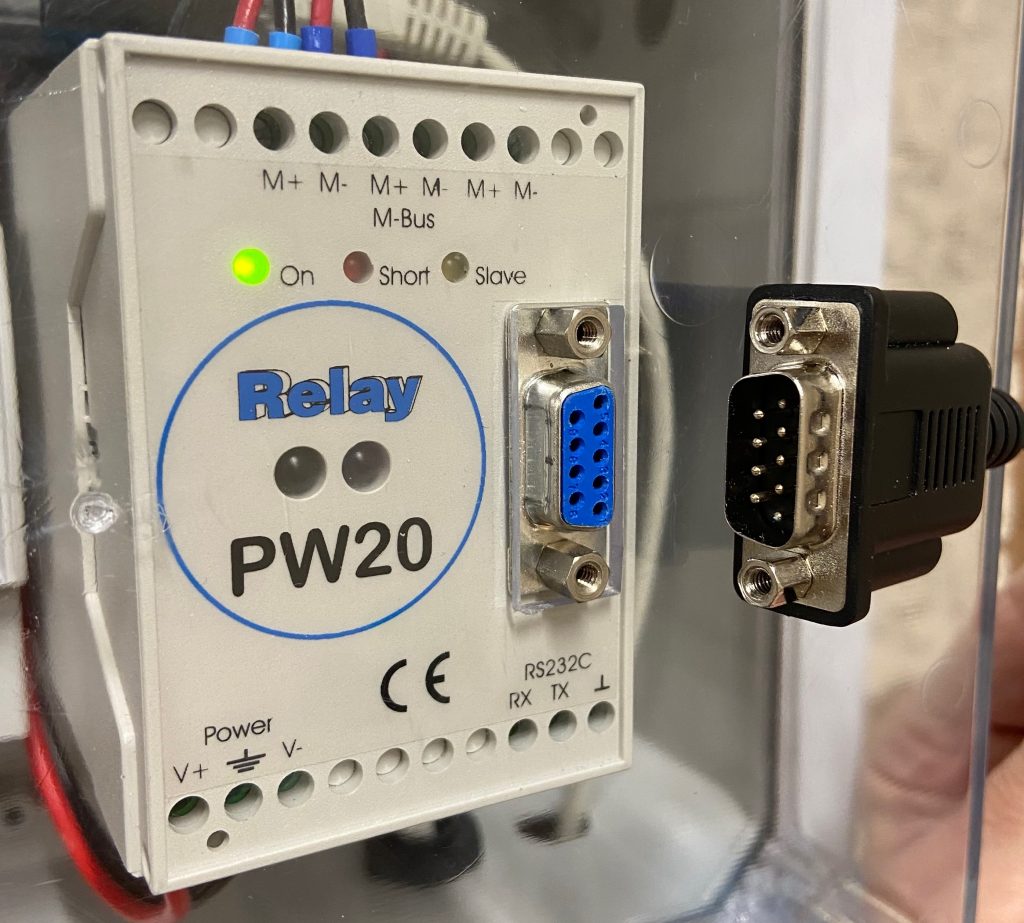
The PW20 is fitted with a Female DE-91 connector and the USB-to-RS-232 lead (with an FTDI interface chip) has a Male DE-9 connector – so that should all work fine but they both have fixing nuts which clash, preventing the plug from being inserted.
A minor annoyance – the electrical connectors will mate directly – except both sides have the nuts fitted
The nuts are rigidly fixed into the connector on the lead – and they secure the connector to the front of the PW20 (with further nuts inside the case which would be hard to re-attach.) Creative use of two Gender Change adaptors with the locknuts removed seems to work OK. (Ordinarily I use a different FTDI cable with a replacement DE-9 head, which has locking screws rather than locking nuts.)
After trying various cabling options and checking the default Primary Address I was able to program a unique Primary Address (and the meter serial number and initial meter reading) using the Actaris Cyble M-Bus Configuration Tool (CMCT) software. The devices then responded to the normal M-Bus polling code – but with ‘short’ responses, missing any meter readings. Comparing these responses to the ones from the ‘good’ meters in the House, the <Status>10</Status> is the only material difference in the <SlaveInformation> record (the meters in the House report <Status>00</Status>).
Initially I wondered whether the meters needed to ‘see’ a certain amount of water usage in order for a reading to be reported, but even running a couple of hundred litres through one of them didn’t change the response.
There aren’t many functions available in the CMCT software, but one of those is Reset alarms and running that did the trick, with the XML response changing to the expected:
Another thing to note is that by default, the Volume Index in CMCT was formatted as NNNNNNN.N m3 whereas the physical display on the meter shows NNNNN.NNN m3 – and they need to match in order for the readings to be accurate. While it’s not possible to add three decimal places with 7 leading digits (i.e. NNNNNNN.NNN) it is possible to delete two of the leading digits in order to add three decimal places.
Finally, after having had issues with the Cyble reader heads getting dislodged in the past (resulting in them missing some updates from the meters) I wanted to pay more attention to fixing them more securely. I rather expected the new units to come with fixing screws, but they didn’t – but the one screw I had for the meters in the House fitted fine. That’s an M4 x 25mm Cheese Head machine screw, made of Nylon. Note it’s necessary to destructively ‘unscrew’ a plastic piece covering the brass insert that the screw engages with. On the newer meters this projects roughly 5mm above the surface and prevents the Cyble adaptor being fitted until it is removed, whereas on the older meters it’s recessed below the surface and only prevents the screw from being inserted. The removal of this plastic piece is cryptically shown at W2 ‘B’ in the Installation Instructions (attached below).