
One thing I sometimes wish I’d hard-wired for before plastering the House is contact sensors to report the open / closed state of the (openable) windows – mostly so that the automations which close the roller blinds can be ‘blocked’ if a window is open. The sensors could also provide a useful confirmation that the building is secure when nobody is home. (There are already sensors as part of the intruder alarm system, but those respond to ‘shock’ impact from any attempt to force open windows or doors and do not report open / closed status.)
The workaround is to fall back to battery-powered radio-connected sensors. While I’m not generally a fan of battery-powered devices, they’re OK for non-critical uses like this – especially when they provide accurate reporting of battery status so battery failure can be predicted (or at least reported).
From a brief trial of one IKEA MYGGBETT door / windows sensor I’m happy those will work well enough to invest in a few more of them:
- They are powered by a single AAA battery and specifically recommend rechargeable batteries (such as the IKEA LADDA)
- They use Matter over Thread for communications and management and so integrate very nicely with Home Assistant – especially since I’ve got a working Matter over Thread ecosystem in both the Outbuildings and the House
- They’re fairly compact – given they have to accommodate a AAA battery
- They’re competitively priced; £7 each in 2026 (although that seems slightly expensive compared to £5 for a TIMMERFLOTTE temperature & humidity sensor) – whereas similar devices from other brands tend to be £20 or more
- That price does not include the battery, which is another £1 (actually £4 for a pack of 4)
- They report battery status both as a voltage and as “percent charged” figure (to the nearest 1%)
On the tilt-and-turn windows it’s best to mount the sensors at the top, so they report ‘open’ no matter whether the window is tilted back or hinged open (like a door).
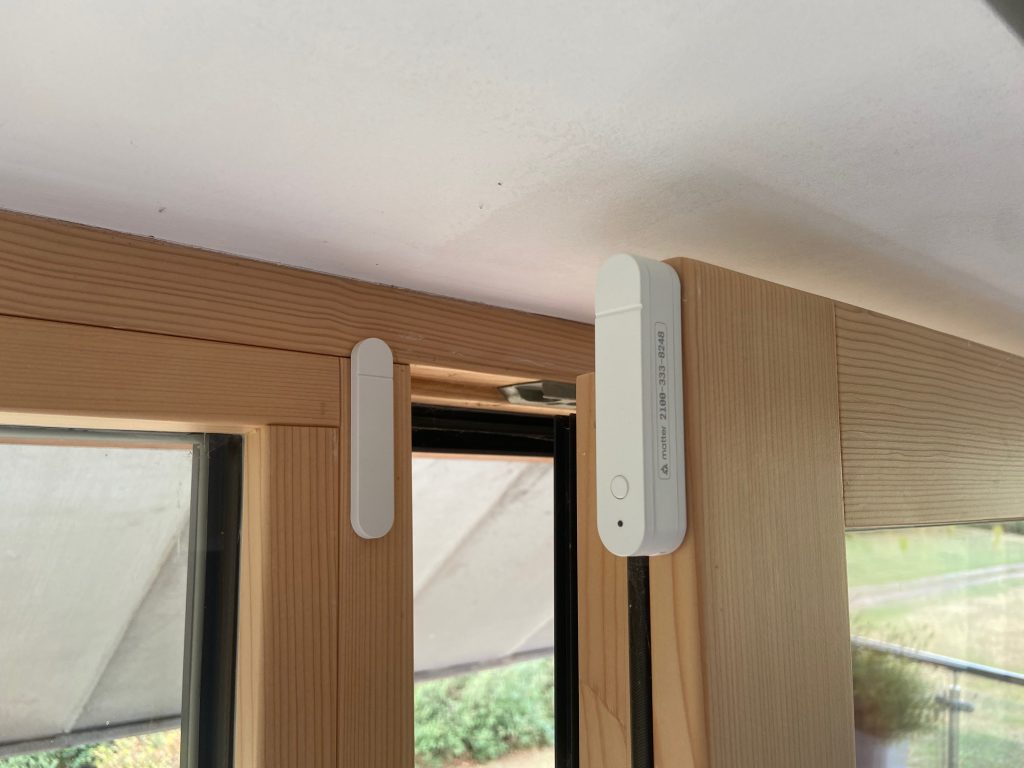
These MYGGBETT sensors have a unique Matter ID printed along one side and I elected to mount them so that remains visible. There’s also a printed QR code used for commissioning but that’s only visible when the sensor is unclipped from its backplate.
If I was doing this again, I would at least install the wiring for hard-wired sensors – which would mean checking which windows have opening sections (about half of them) and whereabouts on the opening windows the sensor would be located. I would wire them with 4-core ‘alarm’ cable back to a central point, with the plan to connect them to a KNX binary input module – something like the MDT BE-16000.02 Binary Input Module for Potential-Free Contacts. Note that costs £200 for 16 channels, i.e. £12.50 per input. In addition, there would be the cost of the cable (roughly £1 for a 5m run) and the magnetic / reed-switch sensor itself (about £2 each for a basic ‘Grade 1’ sensor) which works out at about £16 per window (assuming a 7.5m cable run) so actually the battery-powered sensors are roughly half the price – but need ongoing attention to their batteries. (Arguably a proportion of the cost of the Thread Border Router required to receive the Matter over Thread signals should be included in the cost of the battery-powered sensors, but that was only £35 and covers all other Matter over Thread devices too.)